A transaction amount appears in Unassigned lines when the transaction has already been reconciled, but the corresponding expense category (for example, “Office rent”) hasn’t been linked to the chart of accounts. In that case the system can’t generate the correct journal entries, so it shows the amount under “Unassigned lines” — in both debit and credit at once.
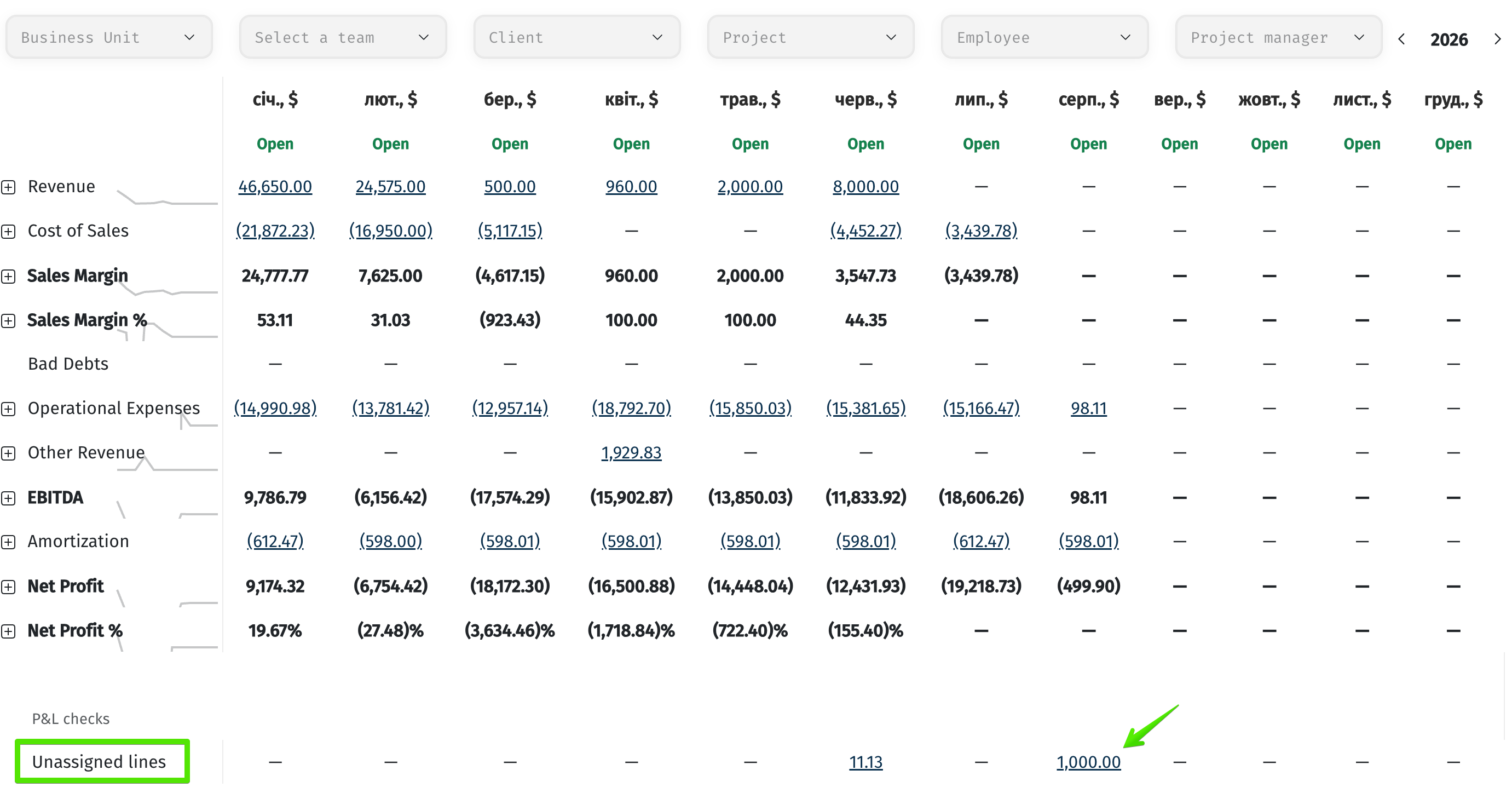
How to fix it
1. Check the P&L line for the category
Make sure a P&L line exists for the category (e.g. “Office rent”). Go to Company → Settings → P&L lines. In this section you can create lines and choose the rule by which transactions will be included in the report.
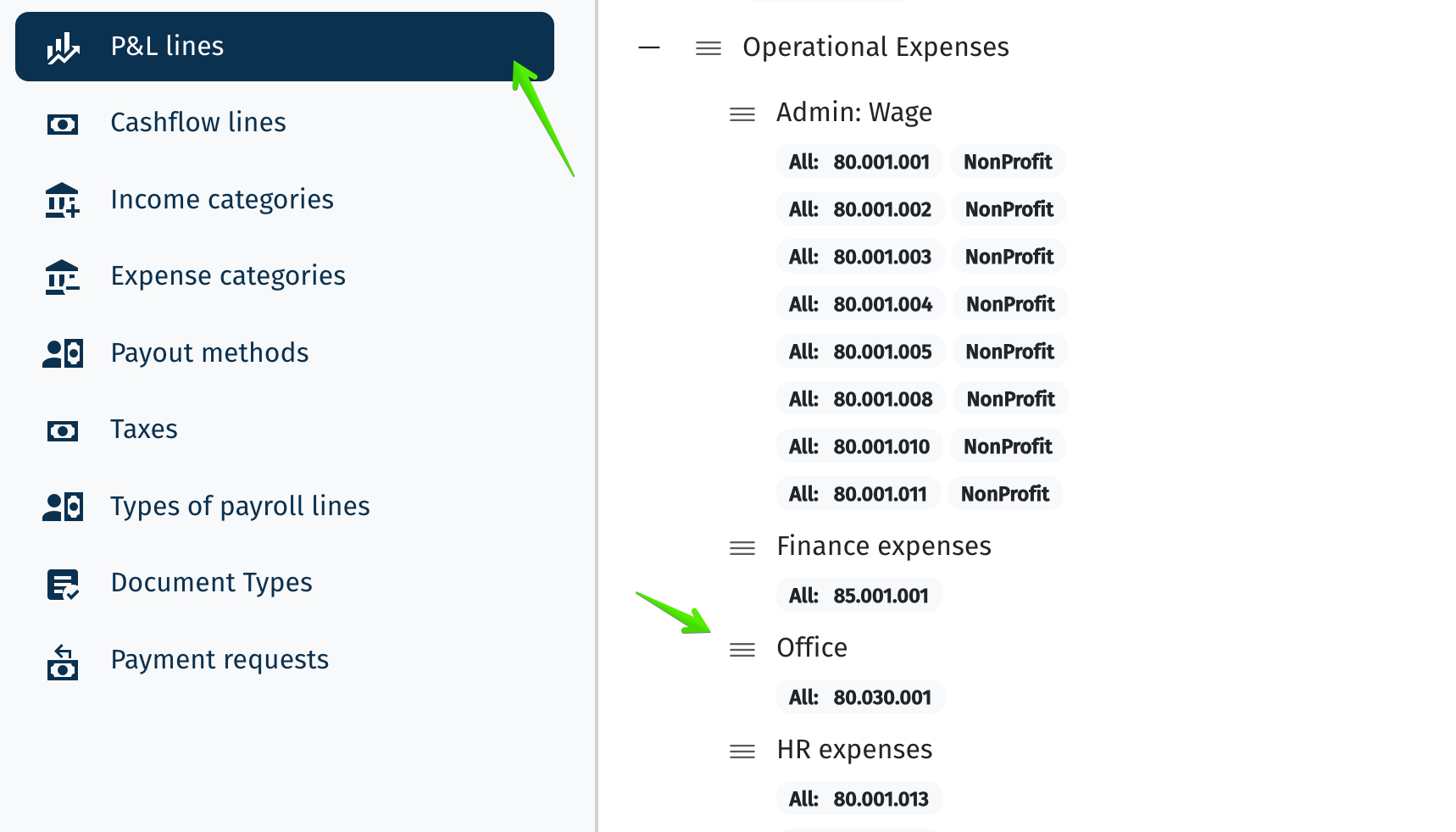
Example of the “Settings → P&L lines” section.
More about P&L lines: help.itfin.io/finance/pnl_lines.html
2. Link the category to the chart of accounts
Go to Company → Settings → Chart of accounts, find the account that corresponds to the category (e.g. “Office rent”), and specify which chart of accounts section it belongs to (Assets, Liabilities, Income, Expense, etc.).
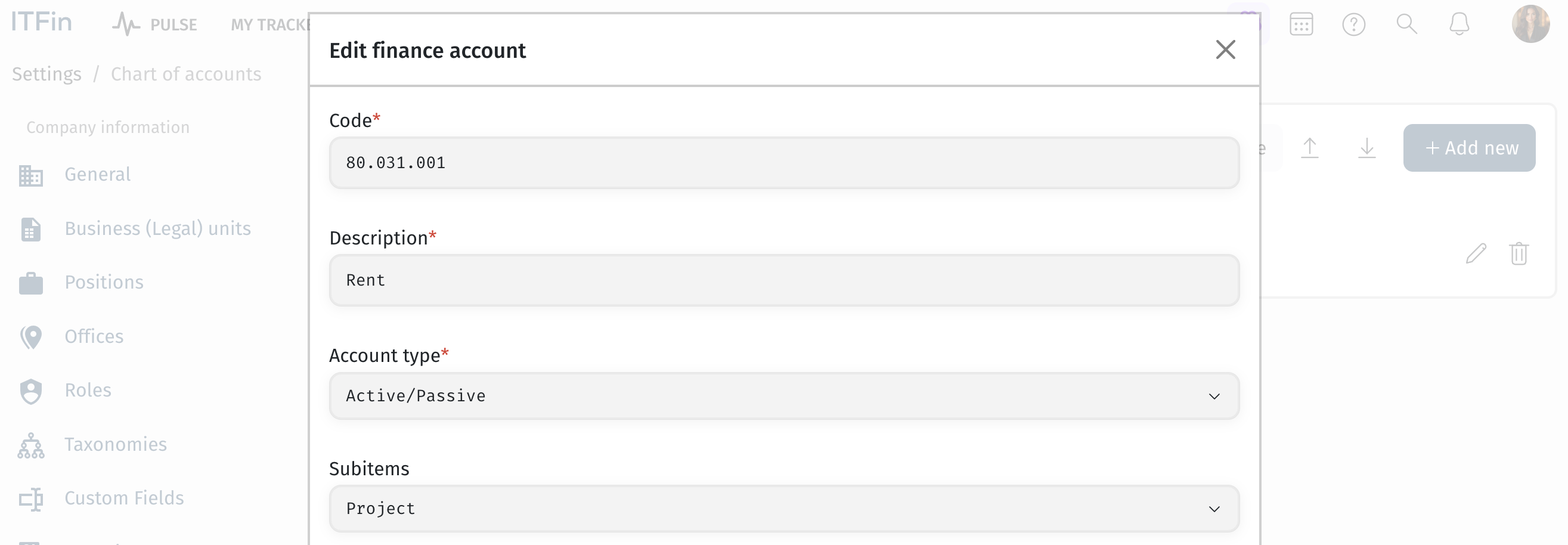
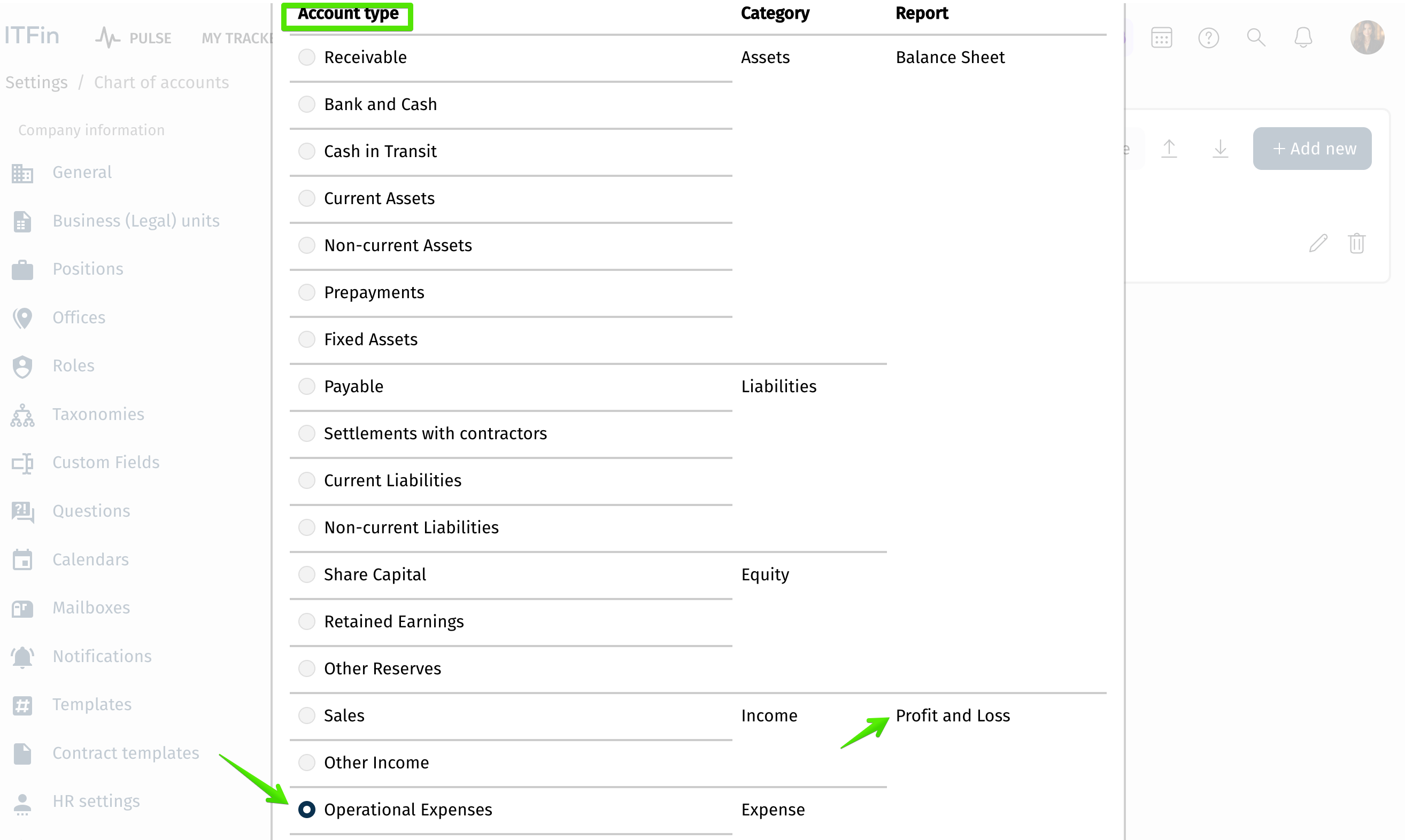
Selecting the account type and its P&L link in the “Edit finance account” form.
More about chart of accounts settings: help.itfin.io/finance/chart_of_accounts_settings.html
3. Recalculate the transaction’s double entries
Go to Company → Transactions, open the transaction, and uncheck “This transaction is reconciled.” Then go to Company → Reconciliation and reconcile the transaction again — the journal entries will be recalculated with the new settings applied.